
🎨 Virtual Try-On
See how this looks on you - 100% Free!
👕 Product Details
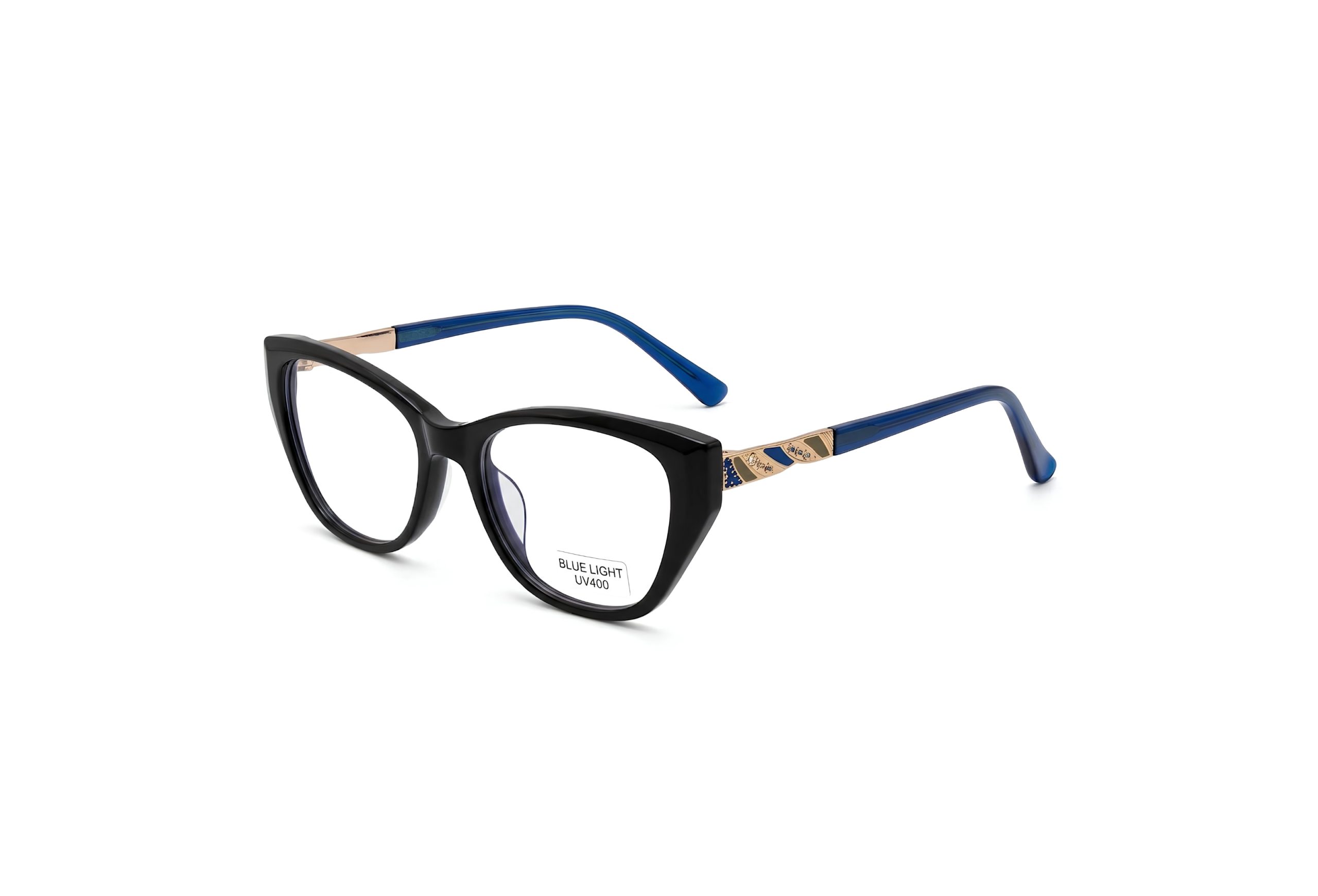
Product: Lumina Silhouette Cat-Eye Frame Women Blue
📝 Your AI Prompt
Copy this prompt:
Use the model reference image for the person and the sunglasses reference image as the exact product to place on the model.
CRITICAL REQUIREMENT: The model must wear the exact same sunglasses shown in the supplied product reference. This is a precise product-placement image edit—not a request to design, reinterpret, or generate similar eyewear. Do not replace the supplied sunglasses with another frame.
Match every identifiable feature of the sunglasses exactly:
Overall silhouette and frame geometry
Lens shape, size, curvature, tint, transparency, and gradient
Frame color, material, finish, and thickness
Bridge shape, width, and position
Rims, hinges, temples, nose pads, screws, logos, and branding
Relative proportions between every component
Any unique decorative or structural details
The only permitted adjustments to the sunglasses are proportional scaling, rotation, perspective, lighting, reflections, and natural occlusion required to fit the model’s face and pose. These adjustments must not change the product’s design.
Fit the exact sunglasses naturally and accurately:
Position the bridge correctly on the nose.
Align the lenses with the eyes.
Place the temples naturally over or behind the ears.
Match the frame angle to the model’s head position.
Add realistic contact shadows, reflections, highlights, and depth.
Prevent floating frames, distorted lenses, asymmetry, clipping, bending, or pasted-on appearance.
Pose instruction: [Describe the desired pose here.] If no new pose is provided, keep the model’s original pose. If the pose changes, preserve the model’s identity, face, skin tone, hairstyle, body proportions, clothing, and expression. Keep the exact same supplied sunglasses consistent from the new viewing angle.
Do not beautify or modify the model. Do not change the sunglasses’ shape, color, lens style, material, branding, or proportions. Do not add accessories, text, logos, props, or design elements that are not present in the supplied references.
Generate a photorealistic commercial-quality image at exactly 3840 × 2160 pixels in a 16:9 aspect ratio. Keep the model’s entire head and the complete sunglasses visible, correctly fitted, sharply focused, and free from cropping or distortion.
Negative instruction: no alternative sunglasses, no similar frame, no redesigned eyewear, no changed lens shape, no changed frame color, no missing branding, no invented details, no warped temples, no duplicated frame parts, and no generic replacement product.
Copied!
📋 Instructions
Click the Button
Open AI platform
Upload Your Photo
Upload a clear photo
Paste the Prompt
Paste the AI prompt
Upload Garment Images
Upload garment images
Get Result!
Wait for AI to generate